
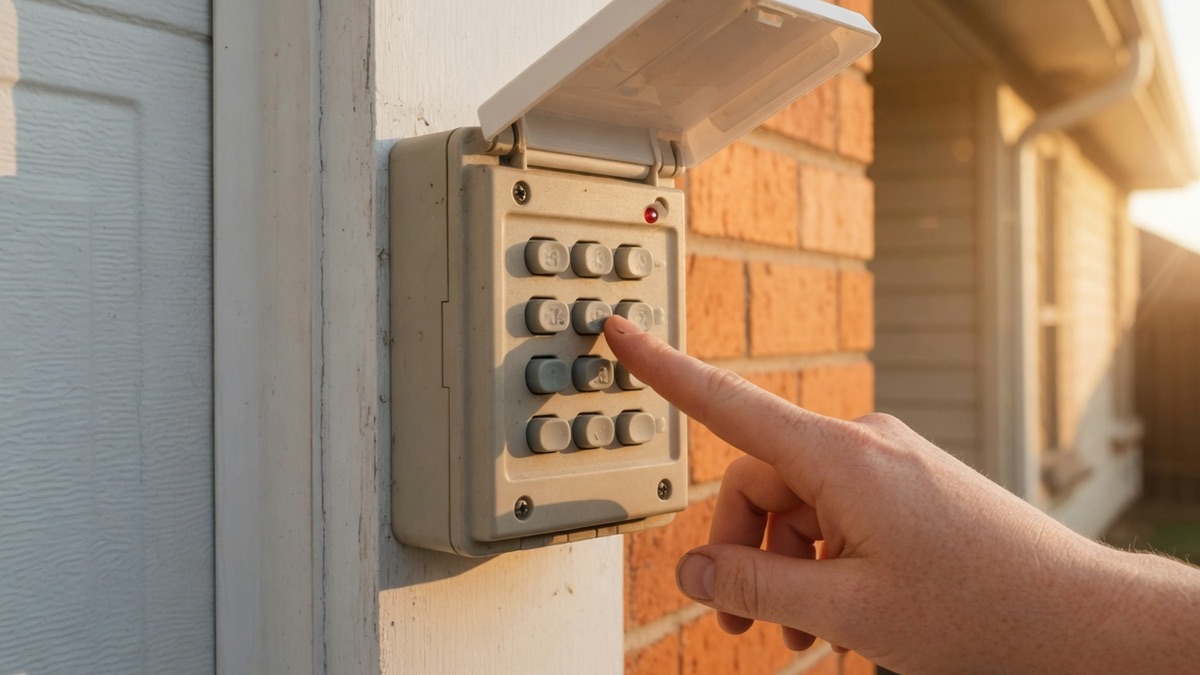
A garage door keypad that stops working is caused by a dead or corroded battery in the vast majority of cases, followed by a wrong PIN, a keypad built for the wrong opener generation, or age-related sun damage, in that order of likelihood.
Before you touch a screwdriver or call anyone, run through these five checks in order:
- Check the battery (2 minutes)
- Clean the contacts (5 minutes)
- Confirm the PIN (2 minutes)
- Reprogram it (10 to 20 minutes)
- Reset or replace if none of that works
I run the garage door side of Pros On Call's Texas operation, and a dead keypad is one of the most common calls that turns out to be a five minute fix once we know which of those five steps actually applies. The rest of this guide walks through each one, plus how to read your opener's learn button so you're reprogramming the right generation the first time.
Check the Battery First: The Most Common Keypad Failure
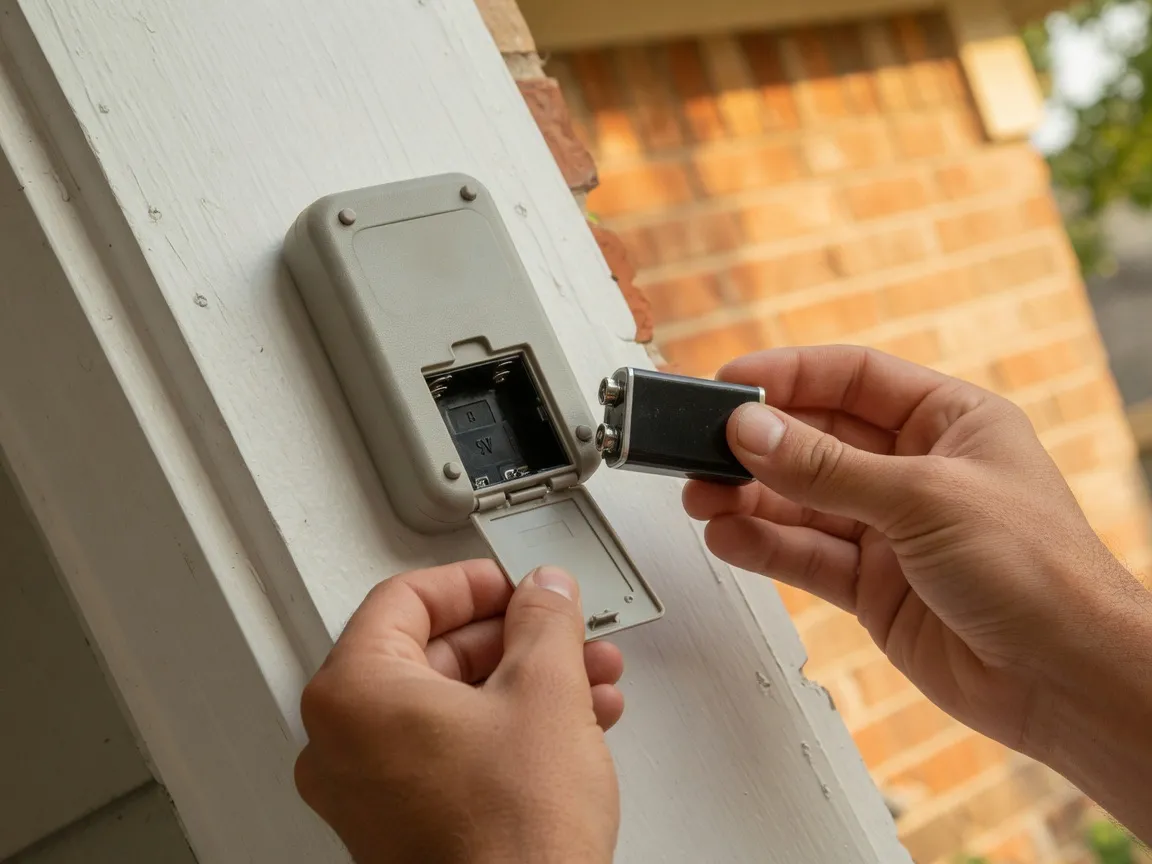
A garage door keypad that shows no lights or will not accept any code almost always has a dead or weak battery, not a wiring or motor problem. Chamberlain, LiftMaster, and Craftsman exterior wireless keypads run on a single 9V battery, while Genie's Intellicode keypad uses two AAA batteries, so checking battery type first saves a wasted troubleshooting trip.
I get calls where someone's already popped the cover off the opener motor assuming the worst, when the actual fix was sitting in a fresh battery the whole time. Before you assume a bigger problem, pull the keypad's own battery cover and check what's inside first.
LiftMaster's own instructions for its wireless keypads call for a high quality alkaline battery only, and specifically warn against mixing an old battery with a new one in the same unit. LiftMaster's battery replacement guide walks through the swap for the 877MAX, 878MAX, and 940EV family, Chamberlain Group's own keypad line for these openers.
Genie's GK-R Intellicode keypad is a different animal entirely: two AAA batteries instead of one 9V. Genie explicitly recommends alkaline AAA batteries for its keypads and warns against using rechargeables.
If your actual problem is a handheld remote gone quiet rather than a wall mounted exterior keypad, that's a different device with different fixes. Our garage door remote troubleshooting guide covers the remote side on its own.
Clean the Battery Contacts If a Fresh Battery Still Fails
If a brand-new battery does not bring the keypad back to life, the problem is often corrosion on the battery contacts rather than the battery itself, since even a thin film can block current flow. Wipe the contacts with a dry cloth or a pencil eraser, and check again before assuming the keypad needs reprogramming or replacement.
Corrosion on an exterior keypad's battery terminals is more common than people expect, especially on units that have sat outside through a few Texas summers. Even a thin, barely visible film on the contact points is enough to block current from reaching the circuit board, so a fresh battery can still read as dead to the keypad even though the battery itself is fine.
A dry cloth handles most of it. For a more stubborn film, a pencil eraser works about the same way it does on other electrical contacts, gentle abrasion without scratching the metal underneath.
I've never seen Genie or Chamberlain put an exact lifespan on these batteries, but installer estimates commonly put a healthy alkaline battery at one to two years under normal use, shorter if the keypad sits in direct summer sun most of the day.
Rule Out a Wrong or Forgotten PIN Before Resetting Anything
A keypad that lights up and beeps but still will not open the door is usually rejecting an incorrect PIN, not malfunctioning. Before resetting or reprogramming the unit, confirm the code with everyone who uses it, since a wrong PIN entered confidently looks identical to a dead unit from the outside and wastes a reset cycle for nothing.
This sounds obvious until you're standing at the door troubleshooting a broken keypad for twenty minutes before someone mentions the code changed last month and nobody updated the sheet on the fridge. It happens on nearly every kind of access system, not just garage keypads.
Ask everyone in the household or the crew what code they're using. If two different people give you two different answers, you've found the problem, and it isn't the hardware at all. Confirm the correct PIN, try it once carefully, and only move on to a reset or reprogram if that genuinely fails.
Find Your Opener's Generation First: The Learn Button Color Chart
Chamberlain, LiftMaster, and Craftsman openers reveal which keypad generation will pair with them through the color of the physical learn button on the motor unit: yellow round means Security+ 2.0 (2011-2022), purple or brown means older Rolling Code (2005-2014), and white round means the newest Bluetooth Security+ 3.0 (2025-present). A keypad built for one generation will never pair with a different generation, no matter how many retries.
Before you try to pair or reprogram anything, find the learn button. It's the small colored button on the motor unit itself, usually near where the antenna wire hangs down, and its color tells you almost everything about which accessories will actually work with that opener.
Chamberlain Group's own reference chart lays out six generations by learn button color and shape: a yellow round button means Security+ 2.0 Rolling Code technology, made from 2011 to 2022, compatible only with Universal Only labeled accessories. Purple, sometimes faded toward brown with age, means an older Rolling Code system from 2005 to 2014. Red, also prone to fading toward orange with age, covers 1997 to 2004. Green marks the Billion Code system from 1993 to 1997, and a square yellow button means DIP switch technology from before 1993, no longer supported by current accessories. The newest generation, a white round button introduced in 2025, uses Bluetooth-enabled Security+ 3.0 and is the only one that accepts the full All accessories range instead of the older Universal Only designation.
The color of the learn button on the opener's motor unit tells you exactly which keypad generation will pair with it. A keypad built for one generation will never pair with a different generation, no matter how many times the sequence is retried. That's why a keypad that "just won't pair" after five attempts usually isn't a defective keypad at all. It's the wrong generation for that opener, and no amount of retrying changes that. The color of the learn button is the fastest way to know which keypad will actually work with your opener.
The color of the learn button is the fastest way to know which keypad will actually work with your opener.
Reprogram a Chamberlain, LiftMaster, or Craftsman Keypad
Programming a 940EV or 877MAX keypad happens in two steps: first set a PIN directly on the keypad, then pair that PIN to the opener. To set the PIN, hold the star and pound buttons until the lights stop blinking, enter a 4-digit code, press pound, then press ENTER the number of times your opener's generation requires. To pair it, press the opener's colored learn button, then enter the PIN within 30 seconds.
These are the two models I see most on Texas garages running Chamberlain, LiftMaster, or Craftsman openers, and Chamberlain Group's own instructions cover both. The ENTER count in step one depends on which generation you identified from the learn button chart above: Security+ 2.0, 315MHz, 390MHz, and Billion Code each need a different number of presses, so keep that color chart handy while you work through this.
Once the PIN is set on the keypad itself, pairing it to the opener is the second, separate step. The two don't happen automatically together.
PROGRAM A 940EV OR 877MAX KEYPAD
Set the PIN
Hold the star and pound buttons until the lights stop blinking, enter a 4-digit PIN, press pound, then press ENTER the number of times your opener's generation requires, then press 0.
Pair to the opener
Press the opener's colored learn button, then enter the PIN on the keypad within 30 seconds and hold ENTER until the opener's motor light blinks to confirm.
Reprogram a Genie Intellicode Keypad
A Genie GK-R wireless keypad is a separate ecosystem from Chamberlain's system and does not pair with a Chamberlain, LiftMaster, or Craftsman opener. To set a PIN, press 3-5-7 in sequence, press PROGRAM, enter a 3-to-8-digit PIN, then press PROGRAM again until the LED blinks twice and shuts off. To pair it, put the opener in learn mode, enter the PIN, then press the UP or DOWN key three to four times slowly.
Genie's Intellicode system runs on completely different logic from the Chamberlain-family learn button chart above, so if you're working on a Genie opener, skip that chart entirely and follow Genie's own programming instructions instead.
To wipe the keypad back to factory settings if the PIN itself seems corrupted, press and hold the PROGRAM key and the UP/DOWN key together for about five seconds. The LED flashes twice and every light goes out, confirming the reset. Programming is retained through a battery change on this model, so a fresh set of AAA batteries won't erase a code you've already set.
PROGRAM A GENIE GK-R KEYPAD
Set the PIN
Press 3-5-7 in sequence, press PROGRAM, enter a 3-to-8-digit PIN, then press PROGRAM again until the LED blinks twice and shuts off.
Pair to the opener
Put the opener in learn mode, enter the PIN on the keypad, then press the UP or DOWN key three to four times slowly until the opener responds.
Wayne Dalton and Other Brands: A Different Mechanism
Wayne Dalton keypads use their own sequence, separate from both the Chamberlain-family and Genie systems: press PROGRAM on the opener's powerhead unit, then press the keypad's own ON/OFF/RESET button, enter a 4-to-6-digit code, and confirm on the opener. Wayne Dalton no longer manufactures or sells openers directly, so its support now runs through a dealer network, and the exact steps can vary by hardware age; check the manual for your specific model before troubleshooting further.
If your opener is a brand other than Chamberlain, LiftMaster, Craftsman, or Genie, don't assume the learn button chart or the Genie steps above will apply. Every manufacturer builds its own pairing logic, and guessing your way through a mismatched sequence just burns time.
Whatever brand you're working on, there's one shortcut people reach for that deserves a warning before you try it.
A full reset does not fix one broken keypad. It erases every remote and keypad on the opener at once.
A full reset does not fix one broken keypad. It erases every remote and keypad on the opener at once.
Why Exterior Keypads Fail Faster in Texas Heat
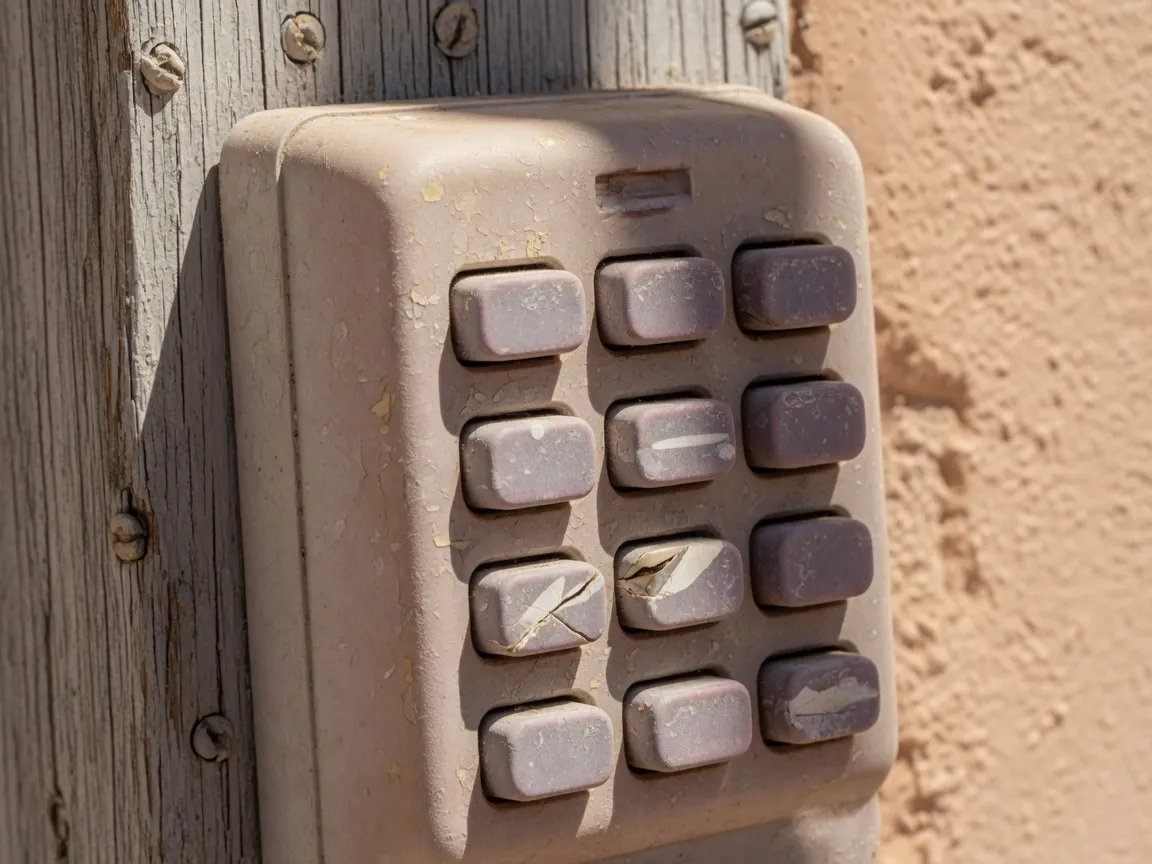
Exterior keypads across Central and South Texas fail more often in summer because heat accelerates two weak points at once: alkaline battery capacity drops as ambient temperature rises, and the UV-stabilized rubber or plastic keypad membrane stiffens, fades, and cracks faster under prolonged sun than in milder climates. From Austin to San Antonio, the same summer sun is why a keypad that worked fine in spring goes dead by August.
I've replaced enough sun-bleached keypads across Central Texas garages to know this pattern by sight before I even test the battery. The buttons go stiff first, then the plastic housing starts to fade and hairline crack around the edges, often months before the internal electronics actually fail.
Battery chemistry backs this up too. Alkaline batteries lose capacity faster the hotter they run, a well-documented pattern in battery industry data, and an exterior keypad mounted on a garage wall in direct August sun runs hotter than the battery was ever designed to sit at rest. It's not a single hot afternoon that does the damage. It's weeks of that heat cycling day after day.
Our San Antonio service area sees the exact same pattern as Austin, same climate, same failure mode, with west-facing and south-facing keypads going first almost every time.
Moved Into a New Home? Reprogram the Code Like You'd Rekey the Locks
Rekeying the locks after moving into a home is standard advice from ALOA, the national locksmiths' trade association, because past occupants, agents, or contractors may still hold working access. The same logic applies to a garage keypad's PIN: reprogram it to a new code you choose, rather than trusting that the old one was ever shared with, or removed from, anyone outside your household.
ALOA's own consumer guidance puts it plainly: change or rekey the locks at closing, or as close to move-in as you can manage, because you have no real way of knowing who still has a working copy. That advice was written about physical keys, but the reasoning transfers cleanly to a keypad code, which is just another form of working access to your home.
I bring this up with every new-homeowner call I take, because it's the kind of gap people don't think about until someone else mentions it.
A new keypad code is one piece of a bigger move-in security check. Our guide to the best garage door locks covers the rest of that checklist.
When a Keypad Needs a Professional, Not Another Reset Attempt
If a keypad has the correct battery, clean contacts, the right PIN, and the correct-generation reprogram sequence and still will not pair, the problem is very likely a failed internal circuit board or a damaged antenna inside the opener, neither of which a homeowner can safely diagnose without opening the motor housing near a spring-loaded door. That is the point to stop retrying and call a licensed technician.
This is the safety line I draw with every customer, and it's not really about the keypad itself. It's about what's behind the motor housing. A garage door opener sits next to a spring system under real tension, and opening that housing to poke at wiring is not a place to improvise if you haven't done it before.
If you've worked through battery, contacts, PIN, and a correct-generation reprogram attempt and the keypad still won't pair, that's your signal. The keypad isn't the problem anymore. Something inside the opener is, and that's a job for someone who works inside that housing every day.
Reset, Reprogram, or Replace: How to Decide
Reset, reprogram, and replace solve three different problems, and picking the wrong one wastes time. Reset wipes a single opener's memory when a code may be compromised. Reprogram fixes a keypad that still powers on and takes input but will not pair, including after a move. Replace is for a keypad that fails every correct-generation pairing attempt or has physically damaged buttons or housing.
Once you've worked through the checks above, most keypad problems sort themselves into one of these three buckets pretty cleanly. Here's how I'd lay it out for a customer standing in front of their garage trying to decide which one they need.
| Option | Try This When | Time Needed | Best For |
|---|---|---|---|
| Reset | You want to wipe a lost or compromised code and start over on one opener | 5 to 10 minutes | A single keypad still communicating with the opener |
| Reprogram | The keypad has power and lights up but will not pair, or you moved into a home with an unknown code | 10 to 20 minutes | A working keypad that needs a fresh PIN or a new pairing |
| Replace | The keypad still will not pair after a correct-generation reprogram attempt, or the housing or buttons are physically damaged | Same-day with a technician | A keypad that has failed hardware, not just its programming |
Replacing a Garage Door Keypad: What to Expect
A replacement keypad has to match your opener's ecosystem, a Chamberlain-family generation identified by learn-button color, or Genie's Intellicode system, since the two are not interchangeable. Prices vary by brand and model, and a technician can quote the exact part during the visit rather than guessing over the phone. Bringing your opener's model number or a photo of the learn button speeds up getting the right match.
This is where the learn button chart pays off again. Knowing your opener's generation before you shop, or before you call, means you're not stuck guessing between a Security+ 2.0 keypad and an older Rolling Code one that can look nearly identical on a store shelf.
If you can't tell from the color alone, a photo of the learn button and your opener's model number gives a technician what's needed to bring the right part on the truck the first visit, instead of a return trip.
If the opener itself is old enough that the keypad isn't the only thing showing its age, our garage door opener buyer's guide covers what to look for in a full replacement system. For anything beyond a keypad swap, our residential garage door services cover the rest of the door and opener.
Who to Call: Pros On Call Handles Both the Door and the Code
A malfunctioning garage keypad sits at the exact overlap between a garage door company and a locksmith, since it is an access-control device mounted on a garage door, and most companies only handle one side of that job. Pros On Call dispatches technicians who service both the door hardware and the entry code under one Texas locksmith license, #B19847, across Austin, San Antonio, El Paso, and other Texas metros.
I run the garage door side of that operation, and the keypad calls are where my world and the locksmith side of the company overlap the most. A dead keypad might be a battery, a pairing issue, or a hardware failure inside the opener itself, and having both sides of that under one roof means a customer doesn't have to figure out which kind of company to call first. It's the same crossover idea behind our guide to key fob replacement in the Rio Grande Valley, reprogramming an access credential just on a different piece of hardware.
Our Austin service area page has the full rundown of what we cover across Central Texas. Call (888) 601-6005 and we'll sort out whether it's the keypad, the code, or the opener itself before anyone shows up guessing.
Garage Door Keypad FAQ
Here are the questions I hear most often about garage door keypads.
How do I reset a garage door keypad?
Press and hold your opener's learn button until the indicator light turns off, which wipes every remote and keypad paired to that opener at once, not just the one giving you trouble. Check your model's manual for the exact hold time. Reprogram everything afterward.
Why does my garage door keypad keep dying in summer?
Heat hits exterior keypads two ways at once. Alkaline battery capacity drops as temperatures climb, and the UV-stabilized rubber or plastic buttons stiffen and fade faster under sustained sun. From Austin to El Paso, a keypad that worked fine in spring can go dead by August for exactly this reason.
Is a garage door keypad the same as a building access control keypad?
No. A garage door keypad is a single wireless accessory paired to one opener, controlling just that door. A building access control keypad system manages entry to multiple doors, often with individual user codes, schedules, and audit logs. Pros On Call installs and services both, as two different services. Our access control keypad entry page covers the building-side system if that's the one you're asking about.
Should I change the code when I move into a new house?
Yes. Locksmiths recommend rekeying locks after a move because past occupants, agents, or contractors may still hold working access, and the same logic applies to a keypad code. Reprogram it to a new PIN you choose rather than assuming the old one was ever removed or shared with anyone else. The Insurance Information Institute has more general guidance on layering small habits like this into a broader home security routine, well beyond just the code on a keypad.
Does Pros On Call fix garage door keypads in El Paso?
Yes. Pros On Call dispatches technicians who service both garage door hardware and keypad programming across El Paso, along with Austin, San Antonio, and other Texas metros, under one Texas locksmith license. Reach dispatch at (888) 601-6005 or see the El Paso service page for coverage details.
How much does a replacement garage door keypad cost?
It depends on your opener's brand and generation, since a Chamberlain-family keypad and a Genie Intellicode keypad are not interchangeable parts. Prices vary by model rather than one fixed number. A technician can identify your exact opener and quote the right replacement part during a visit instead of guessing.
A dead keypad is rarely the emergency it feels like standing outside your own garage. Run through the battery, the contacts, the PIN, and the right reprogram sequence for your opener's generation, and most of the time you'll be back inside in twenty minutes. When it isn't, call (888) 601-6005, tell dispatch which of these checks you've already run, and we'll send a technician equipped for both the door and the code.
Content strategy and SEO by Optymizer